For meditation apps
App Store screenshots for meditation apps
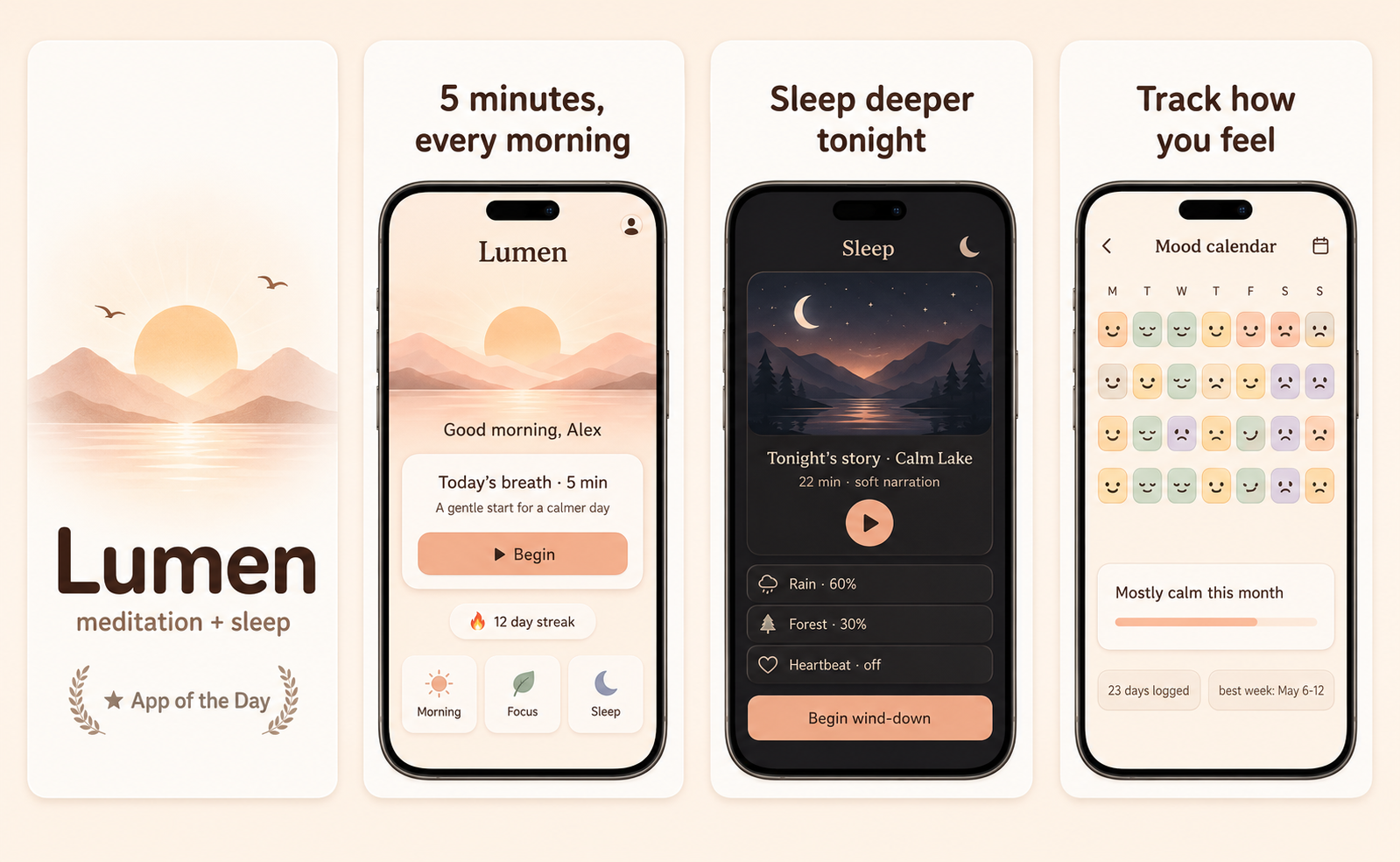
Meditation apps compete on calm, not features. The screenshot has to make someone scrolling at 11pm feel something quieter than the feed they came from. Soft gradients, breathable type, and a single image of stillness do the work. The instinct to list every meditation length, instructor, or category is the killer — meditation apps that lead with a long menu look like work.
What converts
What works for meditation apps
One stillness image — a slow breath, a sunrise, a single object — instead of a session list.
A headline that promises a feeling, not a feature ("Sleep deeper", not "600+ guided sessions").
Pastel gradients that feel pre-dawn, not pre-school — soft warmth, low contrast.
Long lists of session titles in the hero — they read as "more work I have to choose between."
Stock photos of people meditating cross-legged — instant generic-wellness vibe.
High-contrast hard edges — the entire visual category is about softness.
Headline patterns
Headlines that work on meditation apps
The hero headline does more conversion work than the artwork behind it. These three patterns are the ones that keep landing for meditation apps — an outcome with a number in it, a single daily moment, and a promise the buyer can picture. ShotStudio writes yours from your one-line pitch, then every line is click-to-edit on the preview.
- Shot 01
“Five quiet minutes, every morning”
- Shot 02
“Anxiety, down to a whisper”
- Shot 03
“Breathe before the day starts”
Same rule everywhere in the carousel: shot 1 sells the outcome, shot 2 shows the workflow, shot 3 shows the differentiator.
Preset · Friendly
The friendly preset, applied
ShotStudio defaults meditation apps to the Friendly personality preset. Voice: warm, plainspoken, talks-to-a-peer. Typography: rounded sans-serif, generous letter-spacing, warm and humane. Theme and palette are sampled from your uploads, so the marketing matches your actual app — override the personality on the wizard step if you want a different one.
Workflow
Three uploads in. Three polished shots back.
Drop three raw simulator screenshots, name your app, write a one-line pitch. ShotStudio writes the headline, picks the preset, and returns three 1290×2796 shots ready for App Store Connect — in under a minute.
Upload three screenshots
Hero feature, differentiator, one more. PNG or JPEG, up to 10 MB. Never written to disk.
Name your meditation app
App name, one-sentence pitch. Example: "A 5-minute breath that ends every workday before it follows you home." — we write the headline and pick the preset.
Download three polished shots
1290×2796 sRGB PNGs, no watermark. Click-to-edit any text on the preview before exporting.
FAQ
Meditation apps screenshot questions
Should meditation app screenshots show a person or a scene?
A scene almost always. The buyer is imagining themselves into the app — a person on screen pulls them out of that imagination. Lead with what they'd see during a session, not a stock model.
Is it OK to skip session-list screenshots entirely?
Yes. The App Store carousel is not your library page. Save the session list for shot 3 or skip it entirely and use that slot for the experience itself.
Why is Friendly the default ShotStudio preset for meditation?
Because the meditation buyer expects rounded type and a calm, plainspoken headline voice — that's what Friendly gives you. The soft-pastel palette you associate with the category comes from your actual app's screenshots. Most meditation apps already ship those tones, so the marketing inherits them.
Tools compared
What meditation apps usually get built in
Most indies shipping meditation apps reach for a template editor or a monthly subscription first. Both work — here's the honest read on when they're the better call and when a $7 one-time set is.
Read next
Before you upload anything
Get the spec right first — a meditation app listing gets rejected for the same three reasons as everyone else's.
Related categories
More on health & fitness apps
Screenshots have to sell momentum — a streak, a chart climbing, a body in motion — before anyone reads a word.
Nothing close enough? Browse App Store screenshots by app category — all 40 of them, grouped by what the carousel has to prove.