App Store screenshot sizes 2026 — the only spec that matters
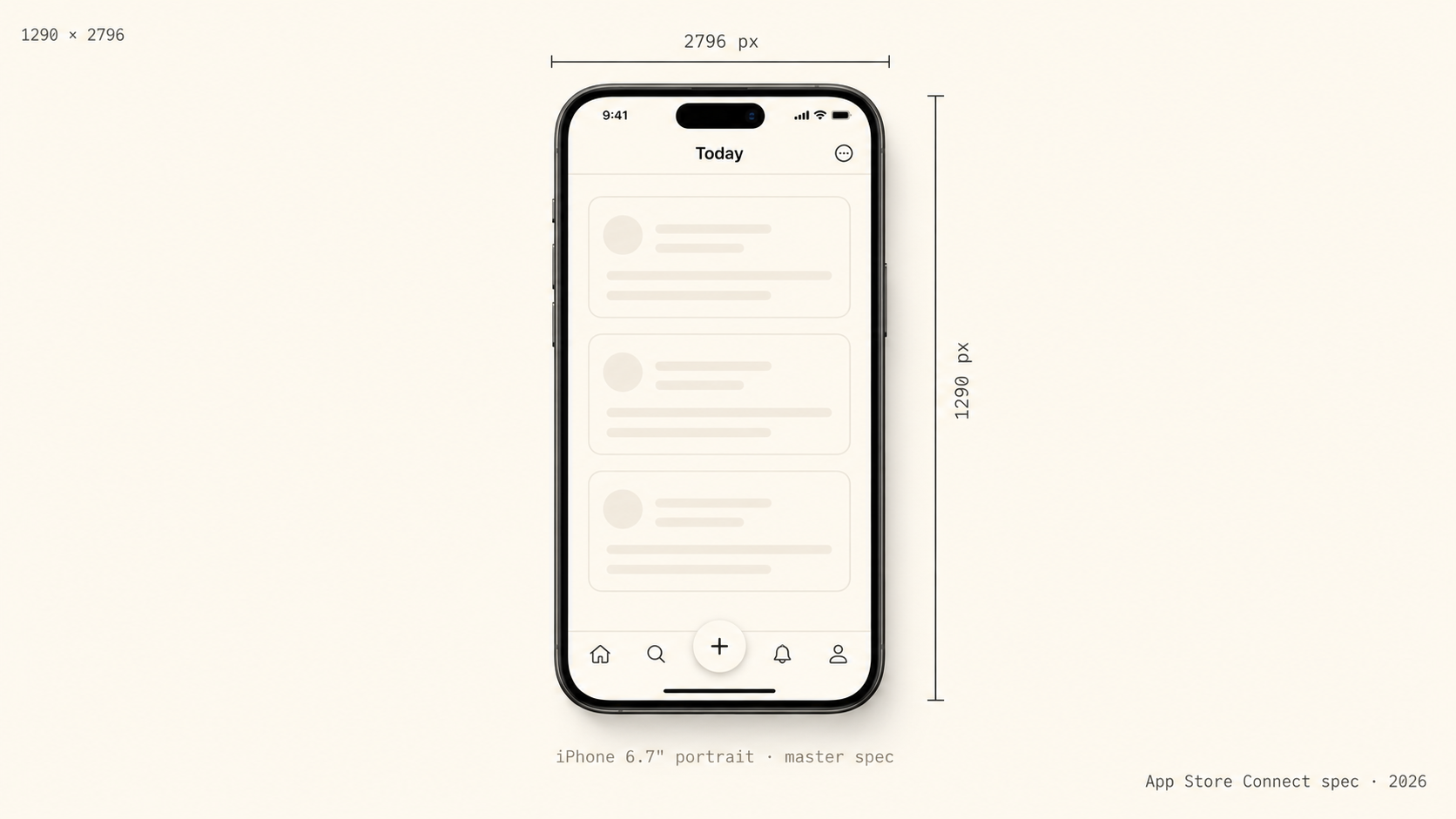
If you're shipping an iOS app to the App Store in 2026, the screenshot spec you actually have to meet is short: 1290×2796 pixels, portrait orientation, sRGB color space, no transparency, no rounded corners, no app chrome. That's the iPhone 6.7" display size — the one Apple uses as the master spec across the App Store carousel.
Everything else on the App Store Connect screenshot help page is either optional, derived from this size, or only applies if you're shipping iPad or macOS builds. This post is the version of that spec written by someone who's actually submitted apps, with the failure modes baked in.
The required spec, in one table
| Property | Value | |---|---| | Resolution | 1290×2796 (portrait) or 2796×1290 (landscape) | | Device | iPhone 6.7" display | | Color space | sRGB or P3 (sRGB strongly recommended) | | Transparency | Not allowed | | File format | PNG or JPEG | | Maximum file size | 8 MB per image | | Rounded corners | Don't add them — the App Store renders rounded corners itself | | Status bar | Don't fake one — App Store strips it | | Quantity | 3–10 screenshots per locale, per device size |
Why 1290×2796 specifically
That's the resolution of the iPhone 15 Pro Max, 14 Pro Max, and 16 Pro Max display in portrait. Apple makes one master spec the canonical one, generates smaller-device assets from it, and serves them to the App Store app at runtime. Submit at 1290×2796 once and you've covered every iPhone Apple still sells.
You used to need to upload separate sets for the 6.5" display, 5.5" display, 12.9" iPad, 11" iPad, and so on. Apple started accepting 6.7" as the universal iPhone master in iOS 15 era and has been consolidating ever since.
The failure modes I see most often
These are the reasons indie iOS apps get rejected or rendered weirdly on the carousel:
- Wrong aspect ratio. 1284×2778 is the iPhone 12/13 Pro Max — close, but the App Store will reject it with "image dimensions are not valid."
- PNG with transparency baked in. Even one alpha-channel pixel kills the upload. Flatten to a solid background before exporting.
- Status bar drawn on top. Apple strips and re-renders the status bar. If you draw one, it'll get stripped and the bottom of your image will end up taller than expected. Don't include it.
- Round corners drawn on the screenshot. Same story — the App Store applies its own corner radius. If you draw them, you get a double-radius effect.
- JPEG compression artifacts in solid-color regions. App Store carousel re-compresses on the fly; starting from JPEG instead of PNG compounds the artifacts. Submit PNG when you can.
- One color space across the set, then a P3 outlier. Apple won't reject this but the carousel will render the P3 image with subtly different saturation. Stay in sRGB across the whole set.
What you actually need to ship
Three to ten screenshots per locale. Most indies ship three. The order on the App Store carousel matters more than people realize — your hero shot has to do all the work in the first 200ms of someone scrolling, because shots 4 onward are behind a "show more" tap that almost nobody takes.
The safe default for what each shot should do is: shot 1 sells the outcome, shot 2 shows the workflow, shot 3 shows the differentiator. What that means in practice changes per vertical — compare fitness app screenshots, where shot 1 has to imply momentum, with finance app screenshots, where shot 1 is one number large enough to read across the room, or indie game screenshots, where the genre has to land at thumbnail size before anyone reads a word.
Doing this without a designer
You can hand-build screenshots in Figma using community templates — most of them are at 1290×2796 by default. The downside is you'll spend a Saturday on it and the result still looks like a Figma template.
The faster option is ShotStudio — three raw simulator screenshots in, three polished 1290×2796 shots back, in under a minute. AI picks a personality preset (Friendly, Professional, Minimal, or Bold) based on your category and writes the headline from your one-line app pitch. The marketing background and palette match your actual app's theme — sampled from your uploads so a light app stays light. $7 one-time, never stored, auto-refund if a shot fails. If you want to see it applied to your category, browse the persona pages — fitness, finance, productivity, indie games, etc., each with the dos and don'ts that matter for that audience.
What about iPad, Apple Watch, Mac?
This post is iPhone-only on purpose. Apple still requires separate uploads for:
- iPad 13": 2064×2752 portrait
- Apple Watch: depends on series
- Mac: 1280×800 minimum
If you're shipping a universal iPhone + iPad app, you need both sets. ShotStudio v1 outputs iPhone 6.7" only — Google Play and iPad export are explicitly out of scope for v1.
TL;DR
- Submit at 1290×2796 portrait, sRGB, PNG, no transparency, no rounded corners.
- 3–10 screenshots per locale; first three carry all the conversion weight.
- Don't draw a status bar. Don't draw rounded corners.
- The 6.7" master covers every iPhone Apple sells.
- For everything beyond iPhone 6.7", Apple still wants separate uploads.
Need to ship by tomorrow morning? Generate three polished shots in under a minute — no subscription, $7 once. The full breakdown of the three credit packs is on the ShotStudio pricing page, and if you're still shortlisting tools, the App Store screenshot tool alternatives index compares AppMockUp, Previewed, Rotato, Shotbot and Screenshots.pro on price and on how much layout work they leave you.
Three uploads in. Three polished shots back.
ShotStudio is the indie iOS developer’s screenshot tool — $7 one-time, AI-picked preset, ready for App Store Connect in under a minute.
ShotStudio pricing — $7, $17, $37 one-time · no subscription, credits never expire.
Keep reading
- App Store screenshots by app category — what converts in your vertical, with headline patterns.
- indie game screenshots — genre + vibe legible at thumbnail size — a player should know it's a puzzle, runner, or rpg without reading anything.
- VPN app screenshots — one big, reassuring connection state — a clear "protected" moment, one tap from off.
- weather app screenshots — a single glanceable hero — today's weather as a designed, beautiful object.
- App Store screenshot tool alternatives — AppMockUp, Previewed, Rotato, Shotbot and Screenshots.pro compared honestly.