For habit tracker apps
App Store screenshots for habit tracker apps
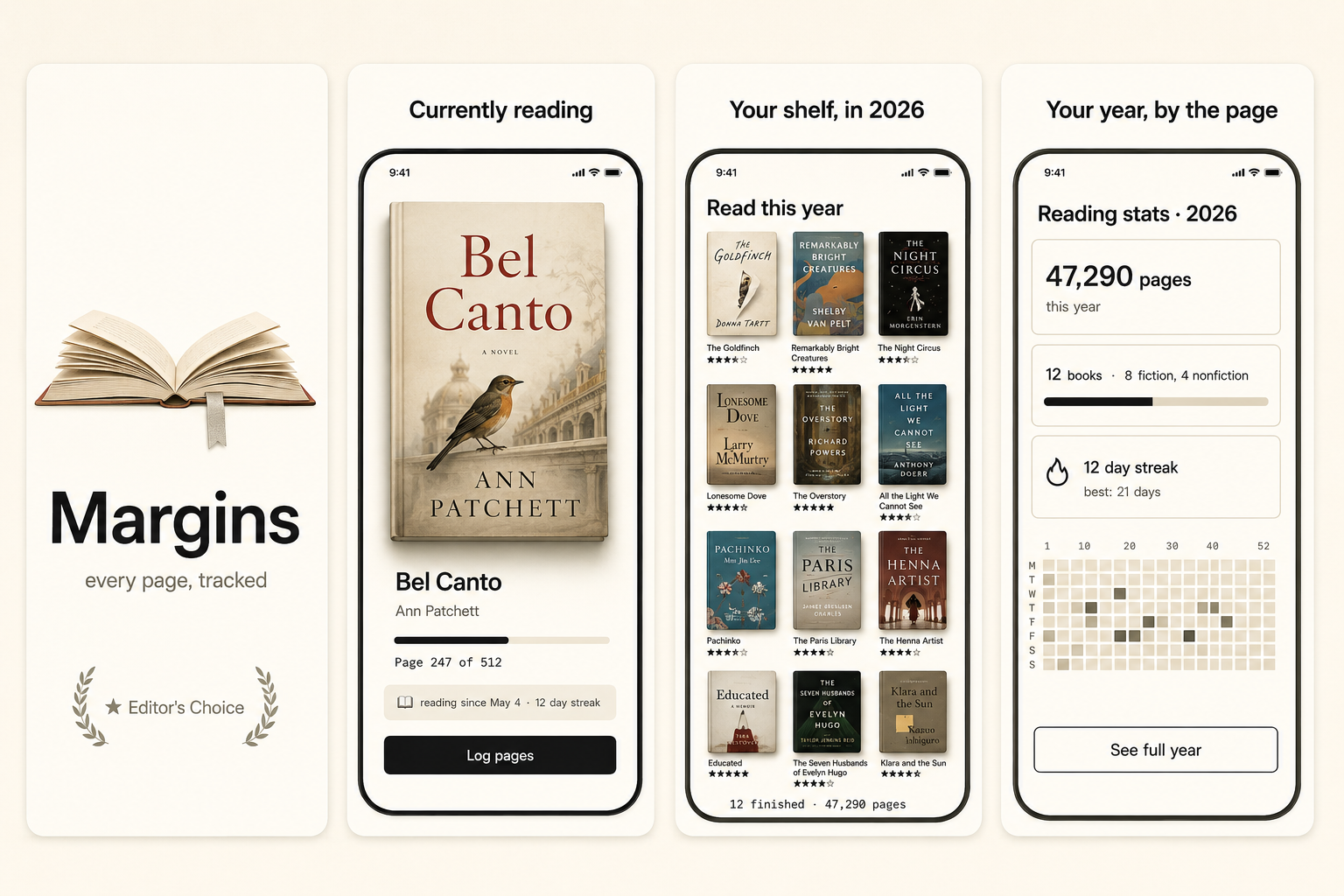
Habit-tracker screenshots sell one feeling: the satisfaction of a streak. The hero shot should show a chain of completed days, a calendar of green, or one habit checked off — the visual dopamine that makes the category work. Over-explaining the tracking system, the reminders, the analytics, buries the one thing that converts: the small, repeatable win the buyer is craving.
What converts
What works for habit tracker apps
A visible streak — a chain of days, a calendar of completions — as the hero's emotional payload.
One habit shown being completed, with the satisfying check or fill animation implied.
Headline copy naming the identity shift ("Become the person who runs every morning"), not the feature.
Analytics dashboards with charts — they're a secondary feature, not the emotional hook.
A long list of trackable habits in the hero — reads as more obligations, not progress.
Guilt-based copy ("Don't break the chain") — the category has moved toward encouragement, not shame.
Headline patterns
Headlines that work on habit tracker apps
The hero headline does more conversion work than the artwork behind it. These three patterns are the ones that keep landing for habit tracker apps — an outcome with a number in it, a single daily moment, and a promise the buyer can picture. ShotStudio writes yours from your one-line pitch, then every line is click-to-edit on the preview.
- Shot 01
“Day 47 and still going”
- Shot 02
“One habit. Every day. No guilt.”
- Shot 03
“Miss a day, keep the streak”
Same rule everywhere in the carousel: shot 1 sells the outcome, shot 2 shows the workflow, shot 3 shows the differentiator.
Preset · Minimal
The minimal preset, applied
ShotStudio defaults habit tracker apps to the Minimal personality preset. Voice: considered, short sentences, calm. Typography: restrained sans, plenty of whitespace, type does the work. Theme and palette are sampled from your uploads, so the marketing matches your actual app — override the personality on the wizard step if you want a different one.
Workflow
Three uploads in. Three polished shots back.
Drop three raw simulator screenshots, name your app, write a one-line pitch. ShotStudio writes the headline, picks the preset, and returns three 1290×2796 shots ready for App Store Connect — in under a minute.
Upload three screenshots
Hero feature, differentiator, one more. PNG or JPEG, up to 10 MB. Never written to disk.
Name your habit tracker app
App name, one-sentence pitch. Example: "A habit app that celebrates the streak instead of guilting you when you miss." — we write the headline and pick the preset.
Download three polished shots
1290×2796 sRGB PNGs, no watermark. Click-to-edit any text on the preview before exporting.
FAQ
Habit tracker apps screenshot questions
Should habit-tracker screenshots show many habits or one?
Lead with one habit and its streak. A wall of trackable habits reads as a to-do list of obligations. The emotional win is the single chain of completed days — make that the hero.
Is the calendar or the streak counter the better hero?
Whichever is more visually satisfying in your app. A month of green calendar squares is hard to beat for instant comprehension, but a big streak number works if your design leans typographic.
Why Minimal for habit trackers?
Because the satisfaction in this category is clean and quiet — a streak doesn't need ornament. Minimal lets the chain of completions be the hero. Palette comes from your uploaded screenshots.
Tools compared
What habit tracker apps usually get built in
Most indies shipping habit tracker apps reach for a template editor or a monthly subscription first. Both work — here's the honest read on when they're the better call and when a $7 one-time set is.
Read next
Before you upload anything
Get the spec right first — a habit tracker app listing gets rejected for the same three reasons as everyone else's.
Related categories
More on health & fitness apps
Screenshots have to sell momentum — a streak, a chart climbing, a body in motion — before anyone reads a word.
Nothing close enough? Browse App Store screenshots by app category — all 40 of them, grouped by what the carousel has to prove.