App Store screenshots in under a minute, without the subscription.

Three raw uploads in, three polished shots back from $7, ready for App Store Connect.

Credits never expire · Auto-refund on failed shots · Images never stored
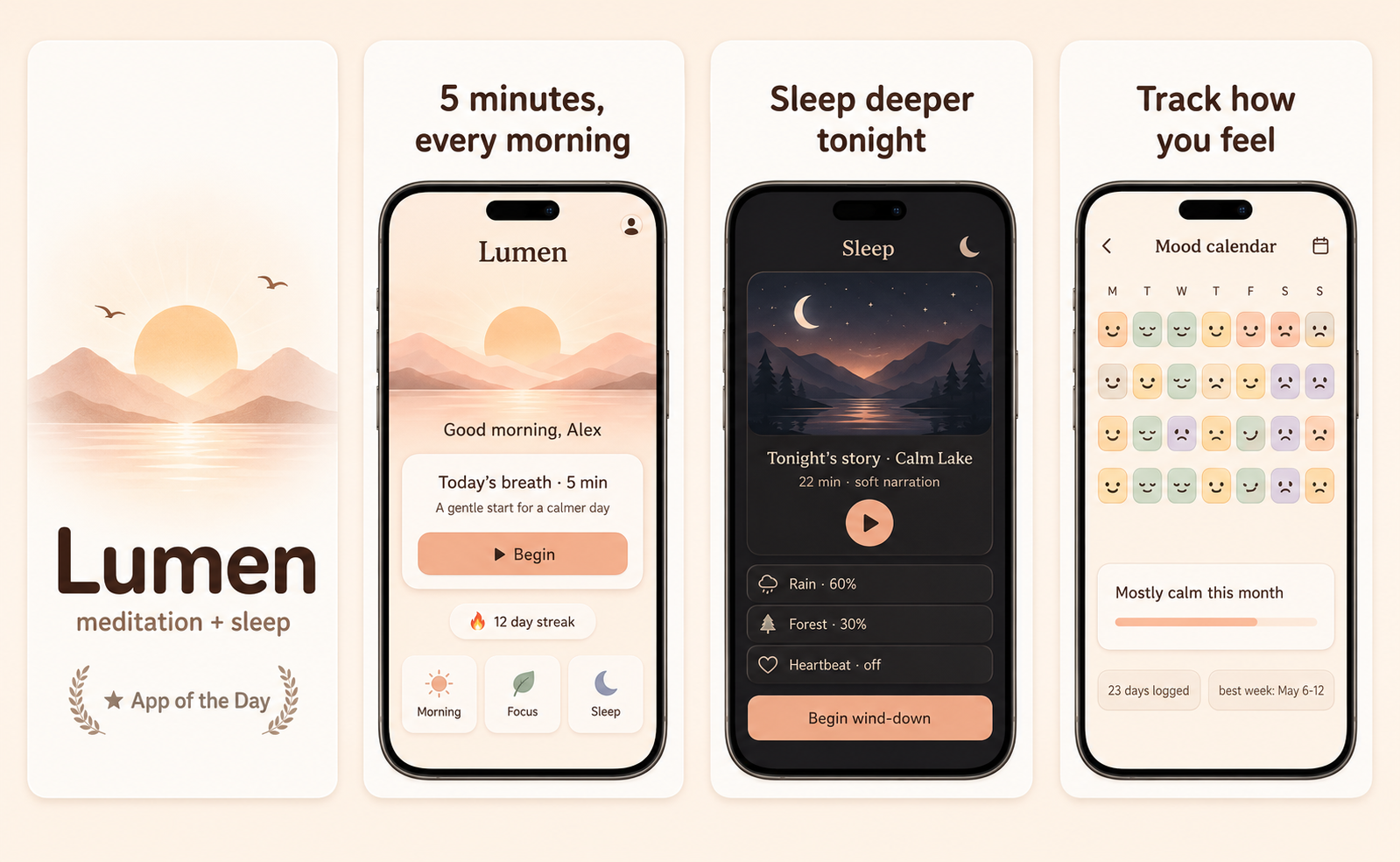
Lumen App Store screenshot set — A calmer morning, every morning
Sprout App Store screenshot set — Tiny daily habits
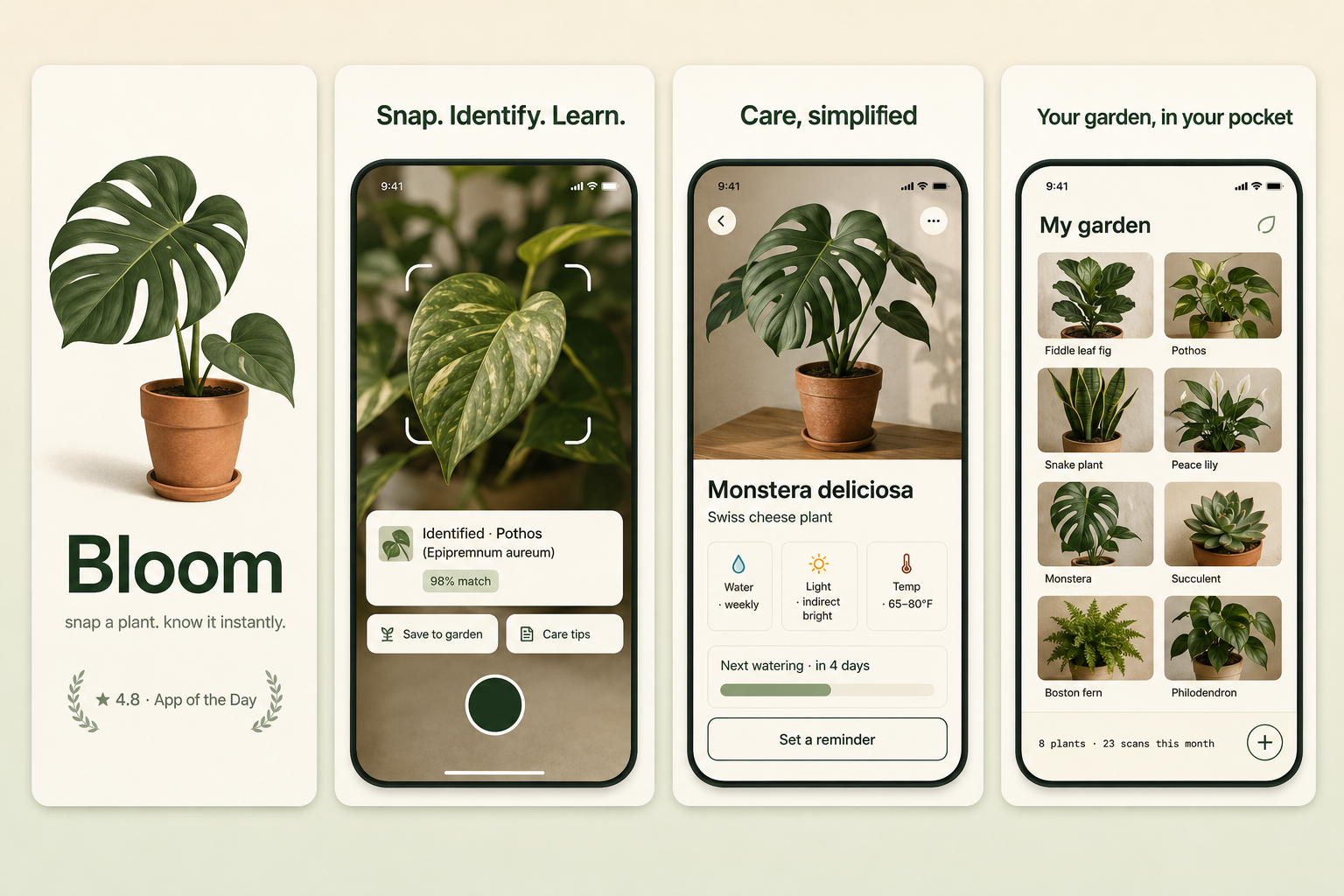
Bloom App Store screenshot set — Snap a plant. Know it instantly.
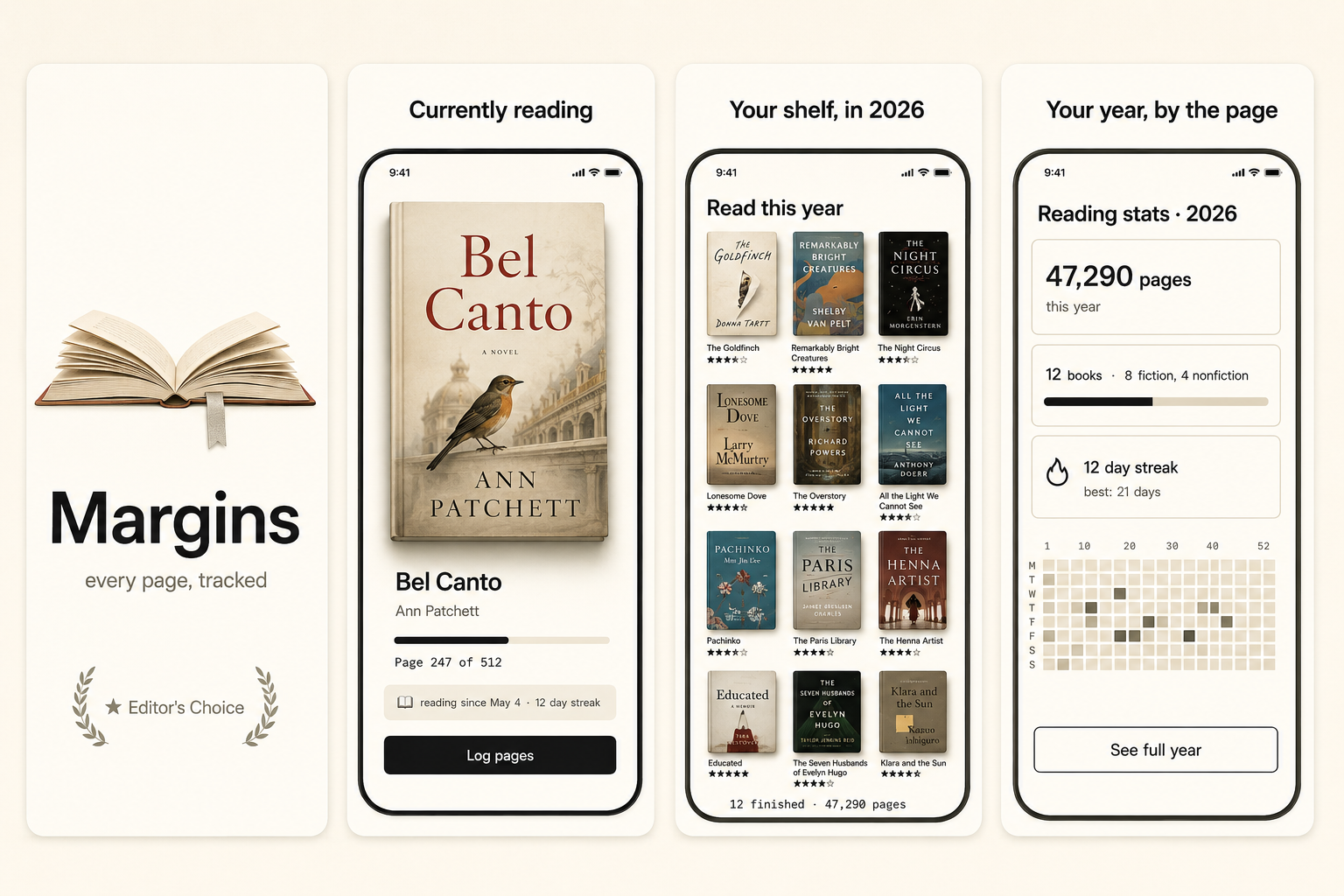
Margins App Store screenshot set — Every page, tracked
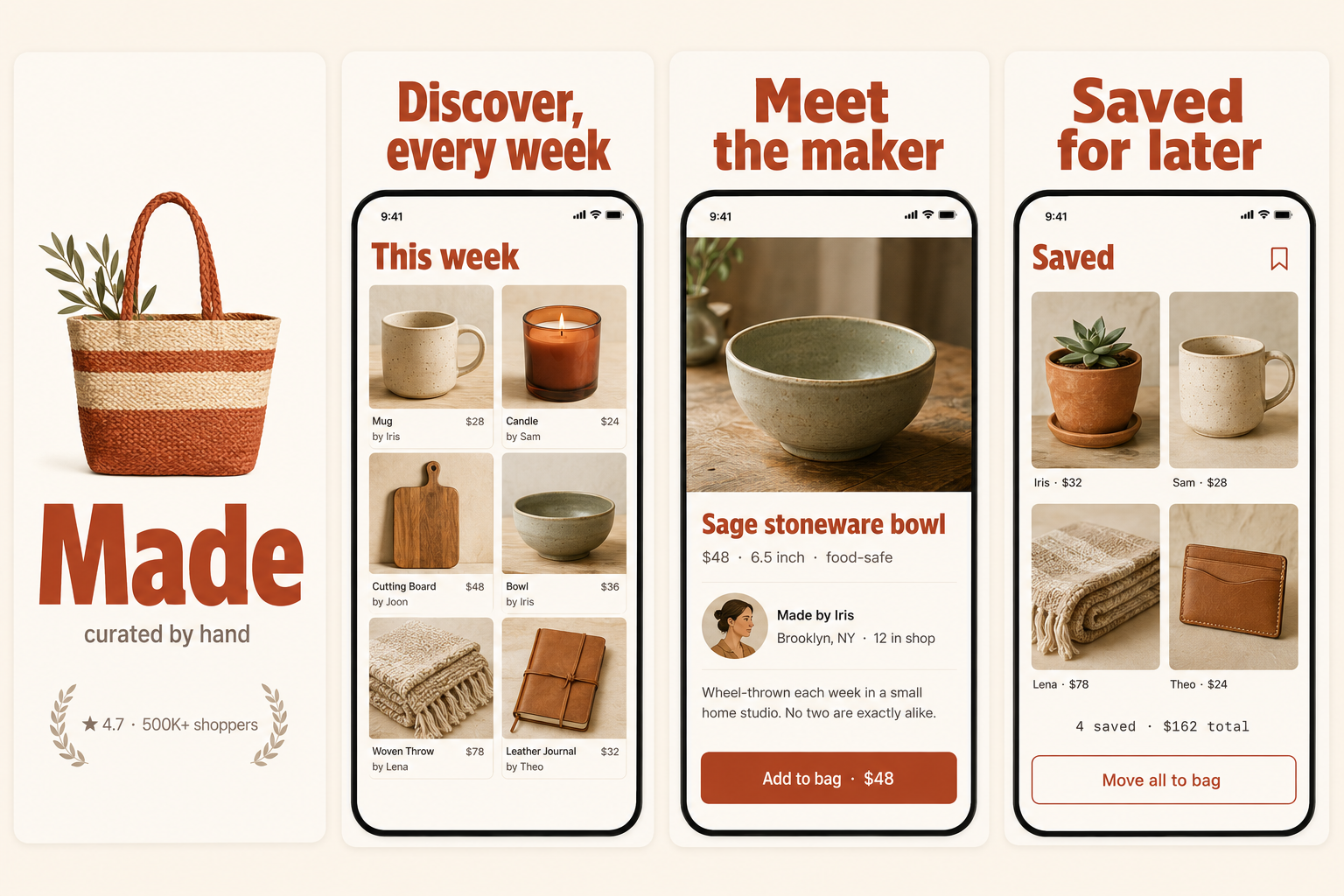
Made App Store screenshot set — Your stuff, sold
Lumen App Store screenshot set — A calmer morning, every morning
Sprout App Store screenshot set — Tiny daily habits
Bloom App Store screenshot set — Snap a plant. Know it instantly.
Margins App Store screenshot set — Every page, tracked
Made App Store screenshot set — Your stuff, sold
Lumen App Store screenshot set — A calmer morning, every morning
Sprout App Store screenshot set — Tiny daily habits
Bloom App Store screenshot set — Snap a plant. Know it instantly.
Margins App Store screenshot set — Every page, tracked
Made App Store screenshot set — Your stuff, sold
Lumen App Store screenshot set — A calmer morning, every morning
Sprout App Store screenshot set — Tiny daily habits
Bloom App Store screenshot set — Snap a plant. Know it instantly.
Margins App Store screenshot set — Every page, tracked
Made App Store screenshot set — Your stuff, sold

How it works

How do you make App Store screenshots without a designer?

ShotStudio is a one-time-pay App Store screenshot generator for indie iOS developers. Upload three raw mobile screenshots, add your app name and a one-line pitch, and get three polished 1290×2796 shots back in about a minute. No design tool, no template gallery, nothing to learn. The flow is opinionated on purpose.

Step 01

Upload three screenshots

Drop your hero feature, your differentiator, and one more. PNG or JPEG, up to 10 MB each. They never touch our disk.

Step 02

Tell us the basics

App name, a one-sentence pitch, and a category. We write the headline and auto-pick the style preset; you can override it.

Step 03

Download three polished shots

Three device-framed shots at 1290×2796 — one per source screen you uploaded, exactly what App Store Connect expects.

By app type

What converts in your category

A fitness app sells momentum, a finance app sells trust, an indie game sells a vibe in 200ms. Each category page has the dos, the don'ts, three headline patterns that work, and the personality preset ShotStudio picks by default.

For fitness appsfitness app screenshotsFitness apps live or die on the feeling someone gets in the first three seconds. The screenshot has to imply progress — a streak, a chart climbing, a body in motion — without showing a wall of numbers nobody wants to read on a Tuesday morning. Most indie fitness screenshots fail because they over-explain the feature instead of selling the outcome. The hero shot should answer one question: what does my next workout look like if I download this?For indie gamesindie game screenshotsIndie game screenshots are a different game (sorry) from utility apps. Players are scrolling fast and scanning for energy, character, and a hook — not a feature list. The hero shot needs to communicate the genre and the vibe in 200ms. Saturated solids, oversized type, and a hint of motion read better than any in-game render at thumbnail size, especially for casual and puzzle titles where the actual gameplay is hard to summarize visually.For finance appsfinance app screenshotsFinance app screenshots have an uphill fight: the actual product is a screen full of numbers, and a screen full of numbers reads as noise in the App Store carousel. The trick is to show one number, large, with one piece of context — and let the rest of the screenshot whisper. Premium finance apps lean dark for a reason: it makes a single accent color (your brand green for gains, your charcoal for the rest) feel deliberate instead of cluttered.For productivity appsproductivity app screenshotsProductivity is the most crowded category on the App Store. Anything generic disappears. The winning shots are obsessively specific — one feature, one workflow, one obvious win — rendered with so much whitespace that the user understands the app is calm. The instinct to show "everything the app can do" is the single biggest reason indie productivity apps fail in the carousel.For VPN appsVPN app screenshotsVPN-app screenshots sell trust and simplicity at once. The buyer wants one big reassuring "Connected" state and a sense that privacy is one tap away — not a control panel of protocols and ports. The category is crowded and full of sketchy free apps, so a clean, confident, premium-feeling screenshot is itself a credibility signal. Lead with the calm of being protected, prove with one concrete capability.For dating appsdating app screenshotsDating-app screenshots sell a feeling that's almost impossible to fake: that real people are on the other side. The hero shot has to imply a match, a conversation, a spark — without leaning on stock-model faces that every buyer recognizes as fake in half a second. The category leaders trained users to expect a profile card and a chat bubble; the indie win is making those two moments feel warm and specific instead of staged.For running appsrunning app screenshotsRunning-app screenshots sell momentum and the open road. The hero is motion — a route on a map, a pace climbing, a runner mid-stride — that makes someone want to lace up right now. Runners are data-curious but emotion-driven; the screenshot should lead with the feeling of a good run and prove it with one clean metric, not bury the joy under splits, cadence, and heart-rate zones.For weather appsweather app screenshotsWeather-app screenshots compete in a category where the default iOS app is free and good, so the indie has to show why theirs is worth a download. The win is one beautiful, glanceable hero — today's conditions rendered as a designed object, not a data dump — plus one clear differentiator like hyperlocal precip or a stunning radar. Personality and clarity, not more numbers, are the levers.For meditation appsmeditation app screenshotsMeditation apps compete on calm, not features. The screenshot has to make someone scrolling at 11pm feel something quieter than the feed they came from. Soft gradients, breathable type, and a single image of stillness do the work. The instinct to list every meditation length, instructor, or category is the killer — meditation apps that lead with a long menu look like work.

Or browse App Store screenshots by app category — all 40 verticals, from VPN app screenshots to indie game screenshots.

Pricing

How much does ShotStudio cost?

$7 once for two sets, $17 for five, $37 for twelve. There is no subscription. 1 credit = 1 set = 3 polished shots, credits never expire, regenerating a single shot costs nothing, and failed generations return the credit automatically.

Starter

2 sets
$7once

Try it. Two sets to find the look.

  • 2 generation sets
  • All 4 style presets
  • Credits never expire
Most chosen

Growth

5 sets
$17once

Iterate on copy or test alternate hero angles.

  • 5 generation sets
  • All Starter perks
  • Best per-set value if you A/B copy

Studio

12 sets
$37once

Indie portfolios and small studios shipping a few apps a year.

  • 12 generation sets
  • All Growth perks
  • Lowest per-set price

Full breakdown on the ShotStudio pricing page — what each credit pack includes, how VAT is handled at checkout, and why there is no subscription.

Switching

Already paying for a screenshot tool?

Most tools in this category bill monthly for a job indies do once or twice a year, and most still hand you a template editor. Honest comparisons — including where each tool is genuinely the better pick.

FAQ

Frequently asked questions